Table Tools: Design
This toolbar is context sensitive, and becomes active after placing the text cursor in a document table.
The commands available in the Design toolbar of the Table Tools category are divided into the following sections.
Table Style Options
Commands from this category allow you to activate special formatting options for different table parts.
Special formatting options available for a table are defined in its table style. To create a new table style or modify an existing one, use the tools provided by the Table Styles section of this category.
The following commands are available in the Table Style Options category.
| Command | Description |
|---|---|
| Header Row | Enables formatting of the first row in a table. |
| First Column | Enables special formatting for the first column in a table. |
| Total Row | Enables special formatting for the last row in a table. |
| Last Column | Enables special formatting for the last column in a table. |
| Banded Rows | Enables special formatting for odd and even rows in a table. |
| Banded Columns | Enables special formatting for odd and even columns in a table. |
Table Styles
| Command | Image | Description |
|---|---|---|
| Table Styles | 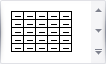 |
Sets a table style for the selected table. Creating a new table style or modifying an existing one invokes the Modify Style dialog, allowing you to specify a style name and adjust table formatting options (including special formatting options for different table parts). You can enable special formatting using commands from the Table Style Options section within this toolbar category. |
Cell Styles
| Command | Image | Description |
|---|---|---|
| Cell Styles | 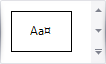 |
Sets a cell style for the selected table cell. Creating a new table cell style or modifying an existing one invokes the Modify Style dialog, allowing you to specify a style name and adjust cell formatting options. |
Borders & Shadings
| Command | Large Icon | Small Icon | Description |
|---|---|---|---|
| Line Style | none | none | Sets the style of a line that is used to draw borders. |
| Line Weight | none | none | Sets the width of the line that is used to draw borders. |
| Pen Color |  |
 |
Sets the color that is used to draw borders. |
| Borders |  |
 |
Draws the specified borders for selected cells. |
| Shading |  |
 |
Specifies the background color for the selected cells. |