Change Background Color
To apply a specific background color to the text, do the following.
- Select the portion of the text you are going to process.
- Click the Back Color
 button and select the color from the invoked color selector.
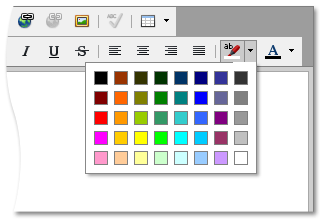
To type text with the specified background color, select the color by using the button. To stop formatting, select the another color.