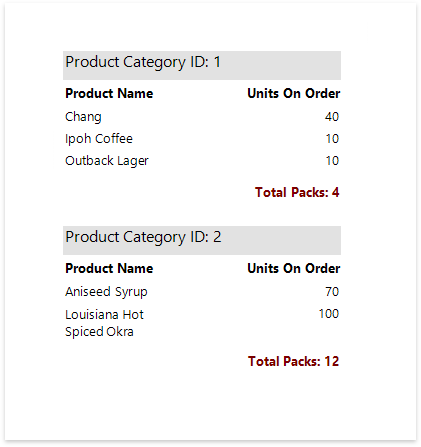
Calculate a Custom Summary
This tutorial describes the steps required to calculate a custom summary that is not one of the built-in summary functions.
Warning
Use the approach below if expression bindings are not enabled in the Report Designer (the Designer does not provide the Expressions panel).
See Calculate an Advanced Summary if expression bindings are enabled in the Report Designer (the Designer provides the Expressions panel).
Create a new report or open an existing one and bind it to a data source.
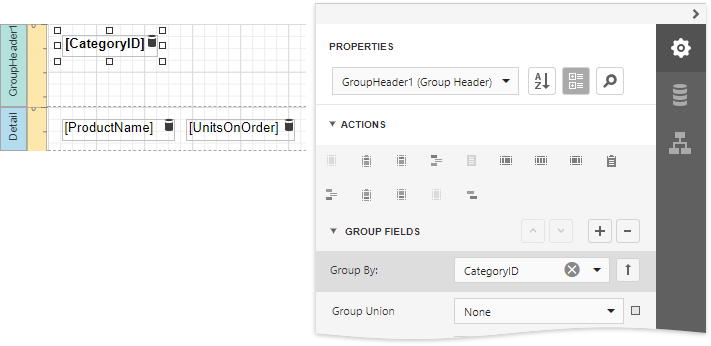
Insert the Group Header band, select the Group Fields section in the Actions category and add a new group field to group the report's data by the required field.
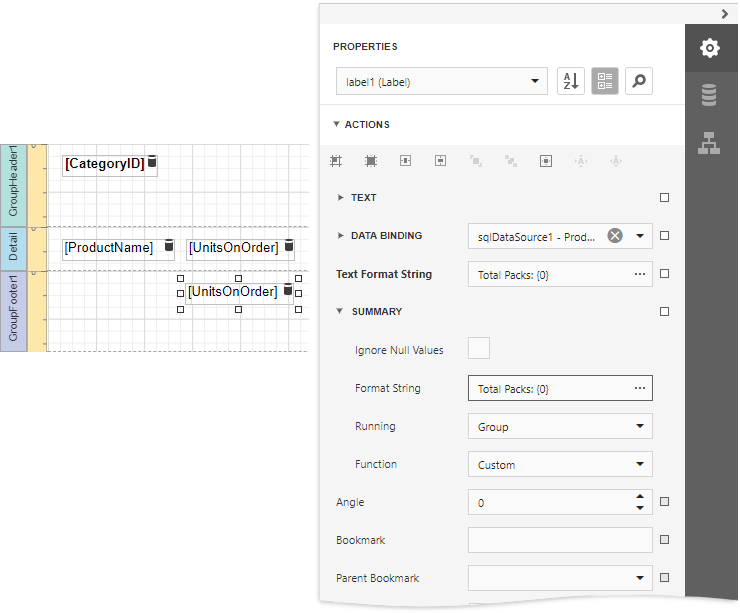
Insert the Group Footer band. Drop a required data field onto the group footer to display the summary result.
Select the label, expand the Summary section in the Actions category and set the Running property to Group. Set the Function property to Custom and use the Format String property to format the summary's value.
When selecting the Custom option, three more events are added to the available events' drop-down list: Summary Get Result, Summary Reset and Summary Row Changed.
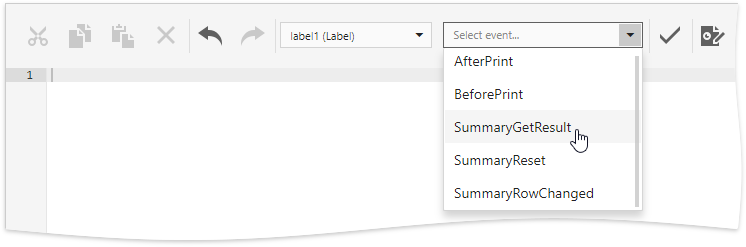
You can handle these events in the following way using the Script Editor.
C#
// Declare a summary and a pack.
double totalUnits = 0;
double pack = 15;

private void OnSummaryReset(object sender, System.EventArgs e) {
    // Reset the result each time a group is printed.
    totalUnits = 0;
}

private void OnSummaryRowChanged(object sender, System.EventArgs e) {
    // Calculate a summary.
    totalUnits += Convert.ToDouble(GetCurrentColumnValue("UnitsOnOrder"));
}

private void OnSummaryGetResult(object sender,
DevExpress.XtraReports.UI.SummaryGetResultEventArgs e) {
    // Round the result, so that a pack will be taken into account
    // even if it contains only one unit.
    e.Result = Math.Ceiling(totalUnits / pack);
    e.Handled = true;
}
VB.NET
' Declare a summary and a pack.
Private totalUnits As Double = 0
Private pack As Double = 15

Private Sub OnSummaryReset(ByVal sender As Object, ByVal e As System.EventArgs)
    ' Reset the result each time a group is printed.
    totalUnits = 0
End Sub

Private Sub OnSummaryRowChanged(ByVal sender As Object, ByVal e As System.EventArgs)
    ' Calculate a summary.
    totalUnits += Convert.ToDouble(GetCurrentColumnValue("UnitsOnOrder"))
End Sub

Private Sub OnSummaryGetResult(ByVal sender As Object,  _
ByVal e As DevExpress.XtraReports.UI.SummaryGetResultEventArgs)
    ' Round the result, so that a pack will be taken into account
    ' even if it contains only one unit.
    e.Result = Math.Ceiling(totalUnits / pack)
    e.Handled = True
End Sub
Switch to Print Preview to see the result.